AILabs
Project Title
Description
AI projects.
Projects
- DreamScape
DreamScape
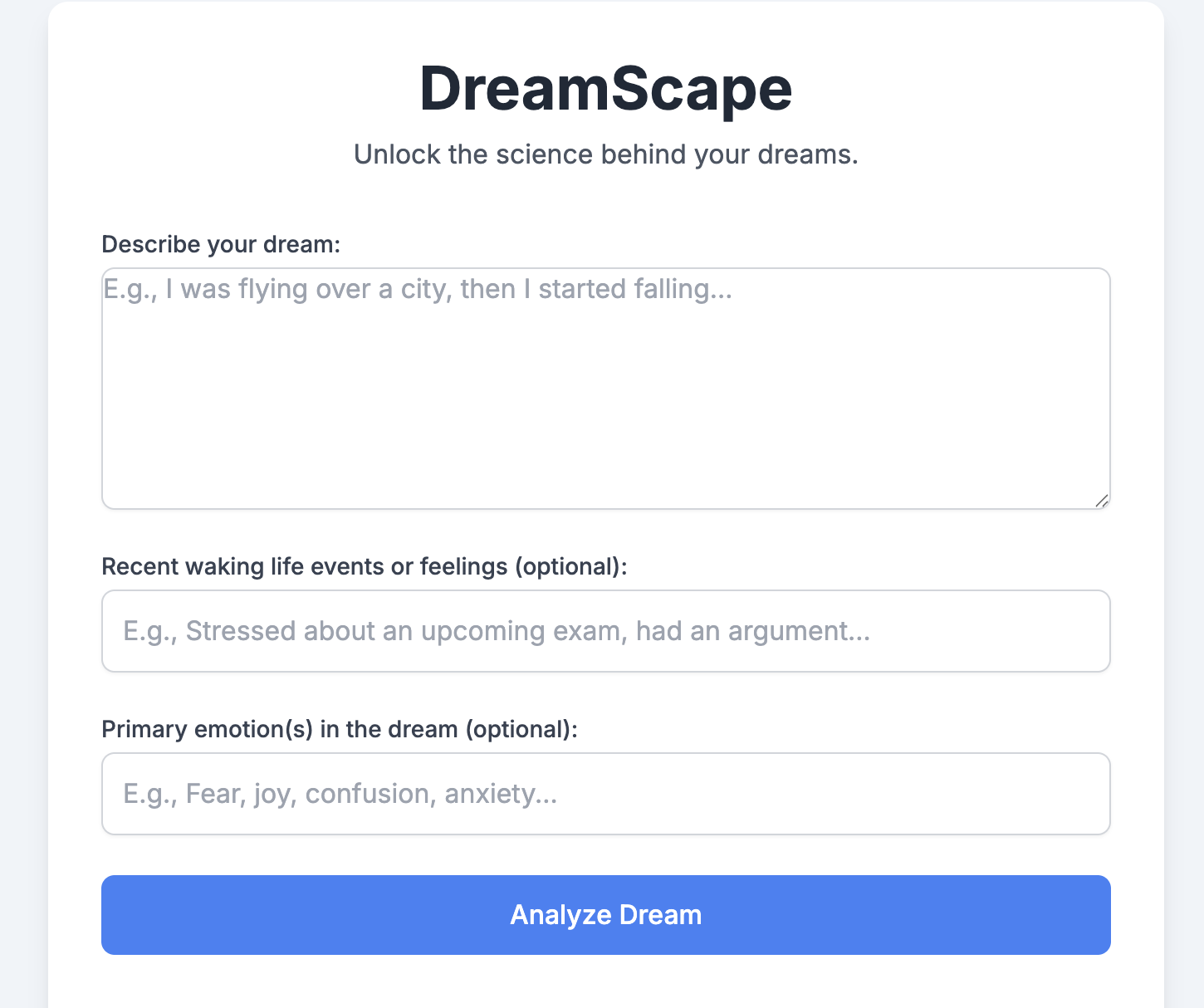
DreamScape web app provides a user-friendly interface for dream input and leverages an AI model (via the Gemini API) to generate analyses based on the scientific framework you outlined.
Getting Started
- Clone the repository.
- Install dependencies using
yarn install. - Run the project using
yarn start.
Project Structure
packages/: Contains the core functionality of the project.scraper-core/: The core scraping library.
node_modules/: Contains the project’s dependencies.package.json: Defines the project’s dependencies and scripts.yarn.lock: Locks the project’s dependencies to specific versions.
Development
Scaffolding New Packages
To easily create a new package within the packages/ directory with a standard structure, you can use the scaffold:package script. This script will set up a new TypeScript package with basic configuration for building, linting, and testing.
It accepts an optional project name argument. If no name is provided, it defaults to “default-project”.
Command:
npm run scaffold:package -- [your-project-name]
Replace [your-project-name] with the desired name for your new package (e.g., my-new-util, api-client). If you omit the name, “default-project” will be used. The -- is important to ensure that [your-project-name] is passed as an argument to the script and not to npm itself.
Examples:
Scaffolding a package with a custom name:
npm run scaffold:package -- my-new-util
Scaffolding a package using the default name (“default-project”):
npm run scaffold:package
Generated Structure:
Running the command will create a new directory packages/<packageName> with the following structure:
packages/
└── <packageName>/
    ├── package.json        # Package manifest
    ├── tsconfig.json       # TypeScript configuration for the package
    ├── src/
    │   └── index.ts        # Main entry point for the package's source code
    └── tests/
        └── index.test.ts   # Basic test setup
The script will also automatically update the root tsconfig.json to include a project reference to the newly created package, allowing it to be built as part of the overall project.
Serving a Package for Development
To serve the index.html of a specific package for development or testing in a browser, you can use the serve script. This script utilizes http-server (which is included as a devDependency).
Command:
npm run serve -- <packageName>
Replace <packageName> with the name of the package you wish to serve (e.g., my-new-util). The script will look for an index.html file in the root of the specified package directory (packages/<packageName>/index.html).
Example:
Assuming you have a package named my-page-component located at packages/my-page-component/ and it contains an index.html file:
npm run serve -- my-page-component
This will start a local development server, typically on http://localhost:8080 (or the next available port), serving the contents of packages/my-page-component/.
If the specified package or its index.html file does not exist, the script will output an error message.
Contributing
Contributions are welcome! Please follow these guidelines:
- Fork the repository.
- Create a new branch.
- Make your changes.
- Submit a pull request.